When people complain that “VoIP sounds terrible”, the phone system is rarely the real problem. Voice traffic is small but extremely sensitive to timing. A network that is perfectly fine for email and web browsing can make calls choppy, robotic or one-way.
This guide gives you the target numbers, shows how to measure them, and explains the configuration changes that make the biggest difference.
Target numbers
- Latency: under 150 ms one way (under 100 ms is better).
- Jitter: under 30 ms.
- Packet loss: under 1%.
- Bandwidth: about 100 kbps per concurrent call each way (G.711), plus headroom.
The four metrics that matter
Latency (delay)
Latency is how long a voice packet takes to travel from the speaker’s mouth to the listener’s ear. The ITU-T G.114 recommendation treats one-way delay up to about 150 ms as acceptable for most conversations. Beyond that, people start talking over each other.
Jitter
Packets do not always arrive at an even pace. Phones use a jitter buffer to smooth this out, but if variation is too high, the buffer either drops packets or adds delay. Above roughly 30 ms of jitter, audio becomes choppy.
Packet loss
Lost packets are lost syllables. Codecs can conceal a little loss, but more than about 1% is noticeable, and bursts of loss are worse than the same amount spread evenly.
Bandwidth
Each call needs very little bandwidth, but it needs it consistently. The danger is a large upload — a cloud backup or a video call — saturating your upstream link and starving voice packets.
| Codec | Approx. bandwidth per call (each way, incl. overhead) | Notes |
|---|---|---|
| G.711 (µ-law / A-law) | ~85–100 kbps | Uncompressed, excellent quality, most compatible |
| G.729 | ~30–40 kbps | Compressed, lower quality, saves bandwidth |
| G.722 | ~85–100 kbps | Wideband “HD voice” |
| Opus | Variable, ~20–80 kbps | Adaptive, wideband, common in softphones and WebRTC |
How to test your network
- Use your provider’s VoIP test. Most providers offer a web-based test that measures latency, jitter and loss to their servers. Run it at different times of day.
- Run a sustained test. A ten-second speed test does not show problems that appear when the office is busy. Monitor for a full business day if possible.
- Test from where phones will sit. Wired tests from the server room can hide Wi-Fi or switch problems at desks.
- Load the link. Start a large upload while testing to see whether quality collapses — that tells you whether you need QoS.
Router and firewall settings
Quality of Service (QoS)
QoS tells your network equipment to send voice packets first. The usual approach is to mark voice traffic with DSCP value EF (46) and call signaling with CS3 (24), then configure the router to prioritize those classes on the internet uplink. Crucially, set the router’s shaping rate slightly below your real upload speed so the queue forms in your router (where QoS works) rather than in the ISP’s modem (where it does not).
Disable SIP ALG
Many consumer and small-business routers include a “SIP Application Layer Gateway” that tries to help VoIP traffic through NAT — and often breaks it, causing one-way audio or dropped calls after 30 seconds. Unless your provider specifically says otherwise, turn it off.
UDP timeouts and firewall rules
Make sure the firewall keeps UDP sessions alive long enough for SIP registrations, and allow the provider’s signaling and media IP ranges. Your provider will publish the required ports.
Switches, VLANs and PoE
- Voice VLAN: place phones on their own VLAN. This separates voice from data for security and makes QoS easier.
- LLDP-MED: many switches can automatically tell phones which VLAN and QoS settings to use.
- PoE budget: Power over Ethernet removes power bricks from desks. Check the switch’s total PoE budget — IEEE 802.3af supplies up to 15.4 W per port, 802.3at up to 30 W and 802.3bt up to 60–90 W.
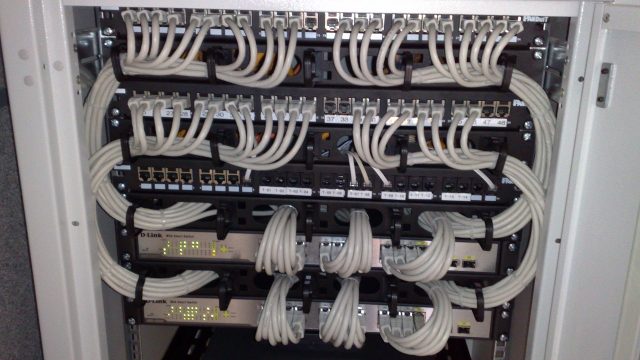
- Cabling: damaged or poorly terminated cables cause errors that look like random call problems. See our structured cabling guide.
VoIP over Wi-Fi
Softphones and Wi-Fi handsets work well on a well-designed wireless network, but Wi-Fi adds variables. Use the 5 GHz or 6 GHz bands, plan for enough access points that phones roam smoothly, enable WMM (Wi-Fi Multimedia) so voice is prioritized, and avoid placing access points in ceilings full of metal ducts. For people who spend all day on calls, a wired connection and a good headset remain the gold standard.
Remote and hybrid workers
You do not control a home network, but you can help: recommend a wired connection for heavy phone users, ask people to pause cloud backups during calls, and choose a softphone with adaptive codecs like Opus. If home broadband is unreliable, a mobile app on cellular data is often a better backup than a struggling Wi-Fi connection.
Troubleshooting table
| Symptom | Likely cause | Fix |
|---|---|---|
| Choppy or robotic audio | Jitter or packet loss; congested uplink | Enable QoS with shaping; check for big uploads; test cabling |
| Long pauses, people talk over each other | High latency | Choose a closer provider data center; check ISP routing; avoid VPN hairpinning |
| One-way audio | NAT/firewall problem, SIP ALG | Disable SIP ALG; allow provider media ranges; check NAT settings |
| Calls drop at ~30 seconds or ~15 minutes | SIP ALG or short UDP/session timers | Disable SIP ALG; adjust timers; use TCP/TLS for signaling |
| Phones reboot randomly | PoE budget exceeded or faulty cable | Check switch PoE budget and logs; replace cables |
| Echo | Speakerphone or headset issue, acoustic echo | Use quality headsets; check phone firmware; lower speaker volume |
Readiness checklist
Frequently asked questions
Do I need a business-grade router?
Not always, but you need one that supports proper QoS with traffic shaping and lets you disable SIP ALG. Many ISP-supplied routers do not.
Is fiber internet necessary for VoIP?
No. Cable, fixed wireless and even good DSL can carry VoIP well. Consistency (low jitter and loss) matters more than headline speed.
Should voice and data be on separate internet connections?
For most small offices, one good connection with QoS is enough. A second connection is most valuable as a failover.
Want a professional network assessment?
We measure your network for a full day, configure QoS and VLANs, and certify your cabling before go-live.